Transform your visual quality & workflow speed in seconds.
Ready-to-use Unreal Engine presets that will make your architectural renders look more professional, faster.
Before you can even focus on making a good image, you have to deal with…
- 01Camera settings
- 02Aspect ratios
- 03Render settings
- 04Console variables
- 05Plugins
- 06Post-process volumes
- 07Project structure
- 08Lighting setups
- 09Overcomplicated materials
This template gives you a clean starting point with all of those things already figured out — so you can spend less time setting up and more time creating better images.
Less Setup. Better Images. Faster.
A clean ArchViz foundation, ready before you even import your scene.
Camera Presets
Cameras built around real photography. Stop guessing which lens and camera settings you should use.
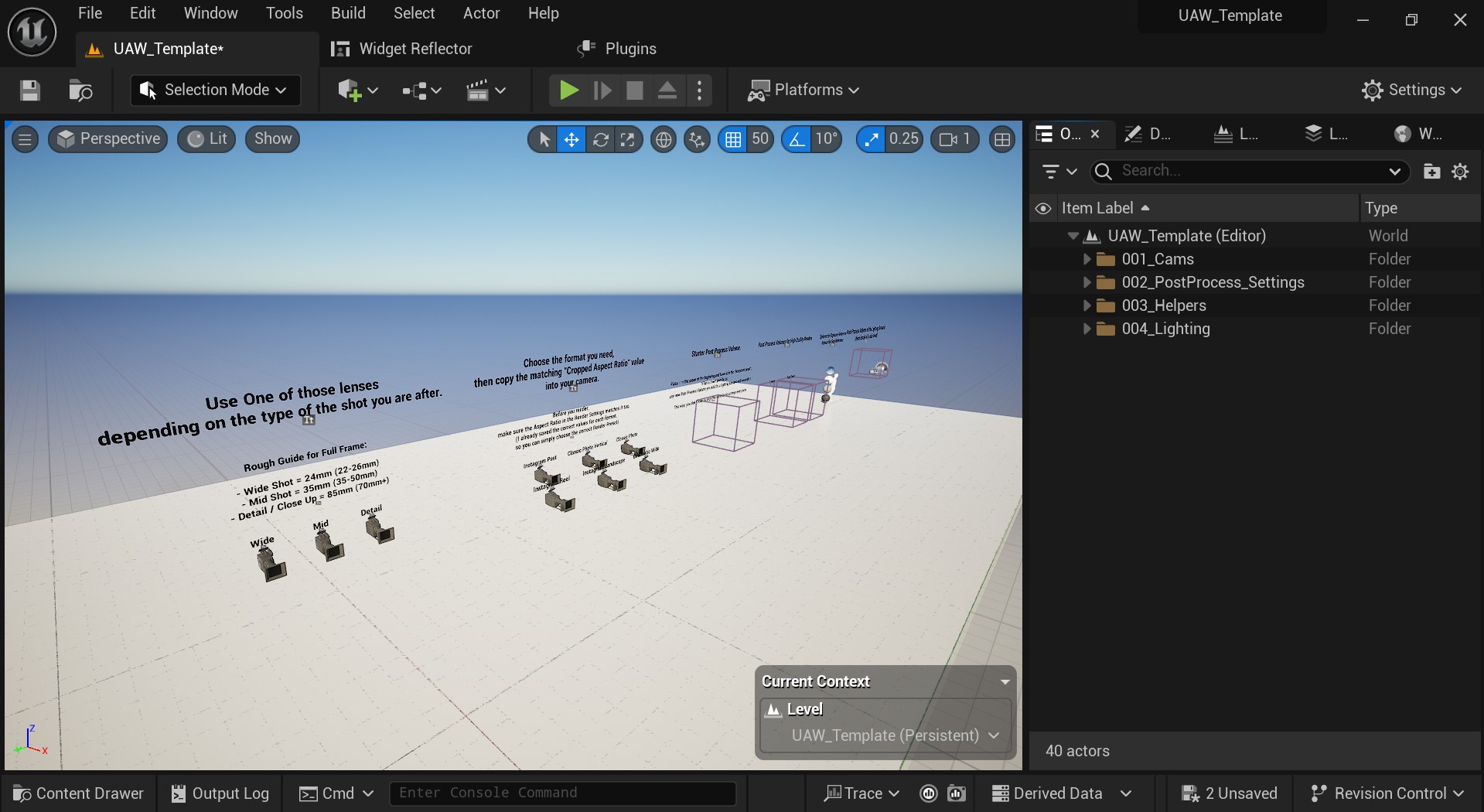
- Wide, Mid & Close Up camera presets included
- Full-frame sensor setup for predictable lens behavior
- Aspect ratio presets for Instagram Post, Reel, Cinematic (ARRI ALEXA LF) and more
Render Presets
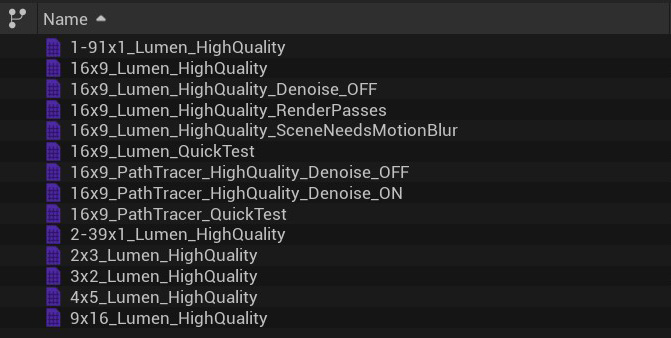
Skip the rabbit hole of forum threads and get the highest quality possible out of Unreal.
- Made for both: Lumen and Path Tracer
- Render Passes, Console Variables, Anti-Aliasing, Denoiser & More — already configured
- Ready outputs for Instagram Post, Reel, Cinematic (ARRI ALEXA LF) and more.
ArchViz Master Material
Easy to use. Honest about what it does. Most master materials try to do everything for everyone — this one is built for ArchViz.
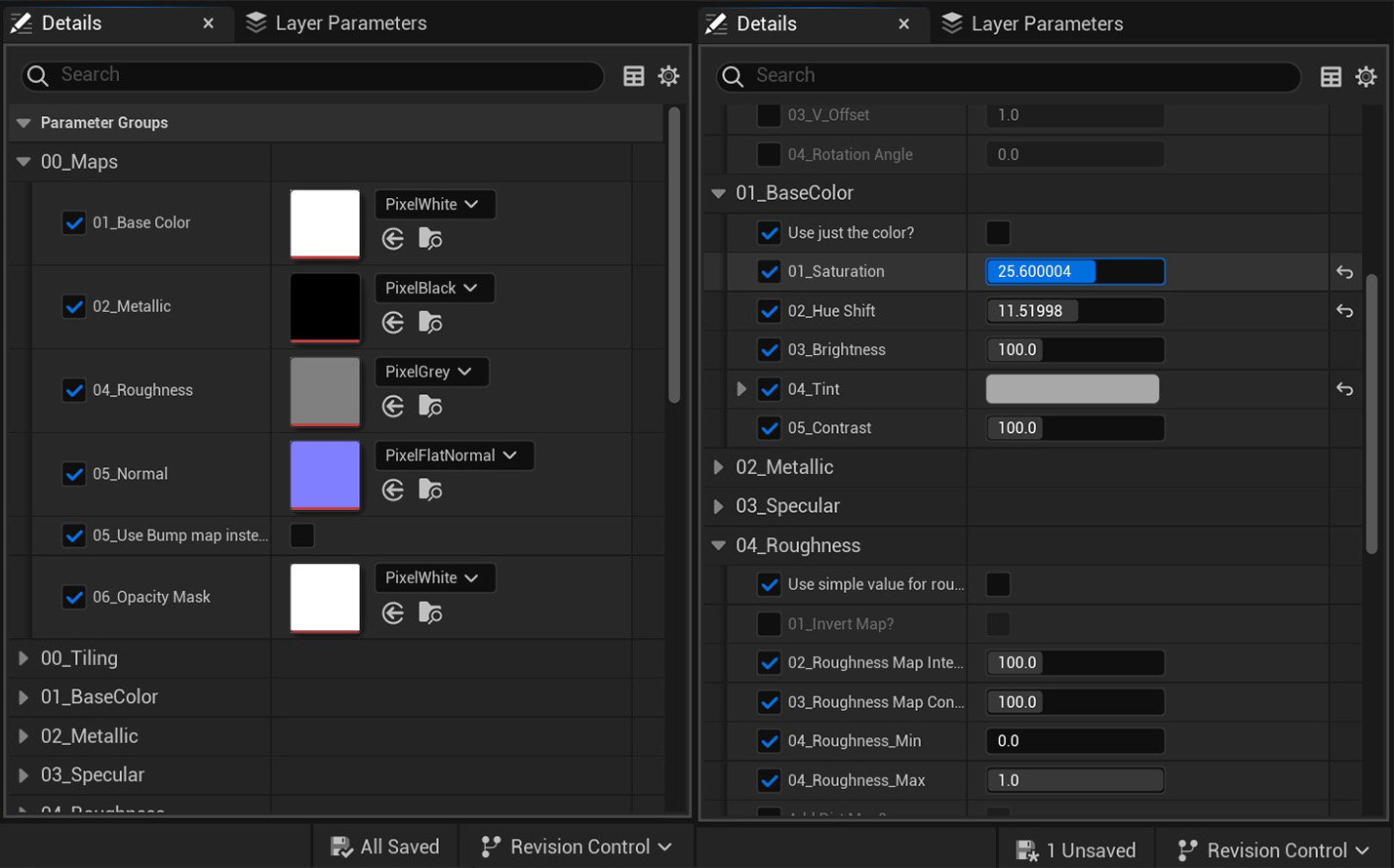
- Drag in your textures, adjust the settings that actually matter, and move on
- Practical slider ranges you can actually control
- Settings sorted in the order they are actually applied
Lighting Presets
Three drag-and-drop lighting setups based on scenarios I actually use in ArchViz projects.
- Sunny Day, Late Afternoon and Overcast
- Preview lighting on the included grayscale house model
- Dedicated Post-Process Volume for each lighting scenario
Project Settings & Plugins
ArchViz-ready out of the box. The template already includes the important Unreal Engine settings and plugins needed for architectural visualization.
- Start with a project configured for high-realism work
- Avoid restarting Unreal and shader recompiles because you forgot a plugin
- Optimized for RTX / Ray Tracing-capable graphics cards
Also Included
The small things that quietly save hours.
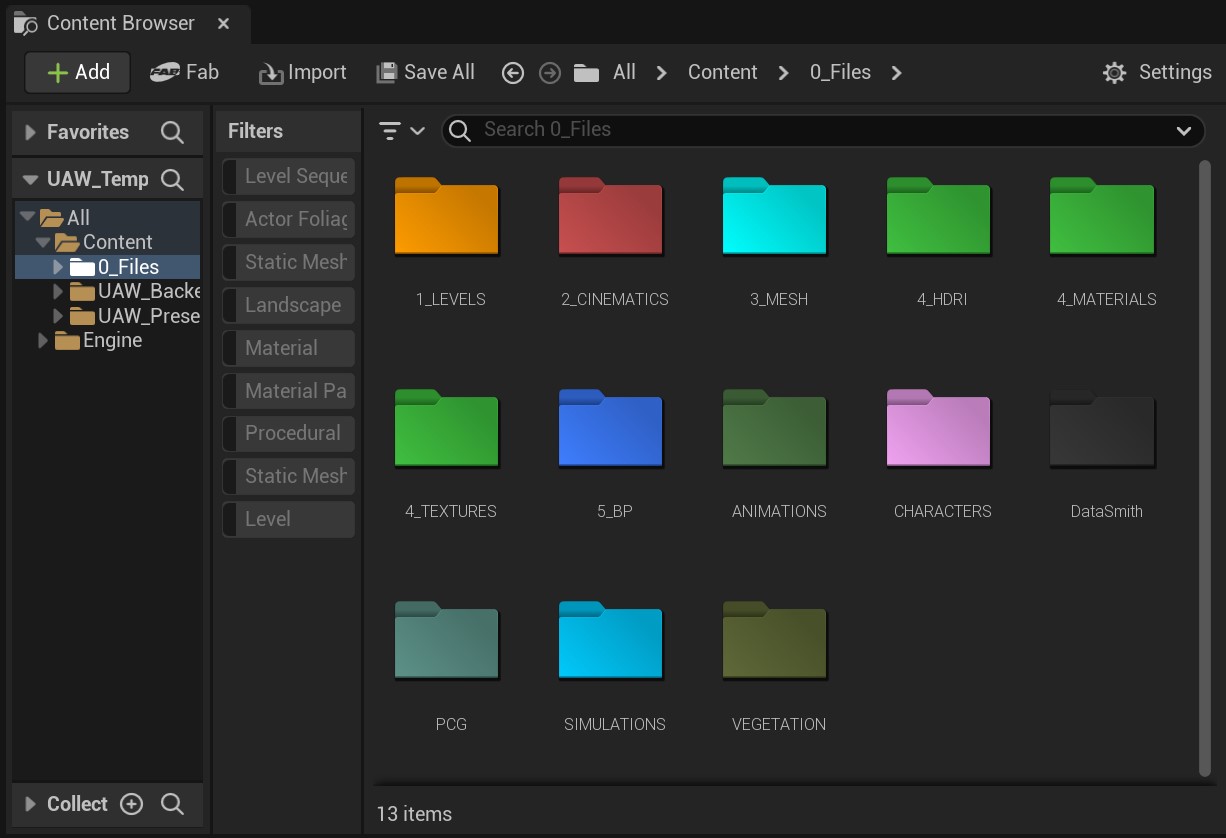
- Ready-to-use folder structure for professional ArchViz projects
- Exposure and human scale references
- Post Process Volumes for High Quality Lumen and Path Tracer Renders
- Preview level with the House Model included
- CVARs I actually use during work (active in the viewport)
How to use it
From download to first render in just 5 steps
- 01
Duplicate the template project file
- 02
Work inside the template level
- 03
Switch between lighting scenarios
- 04
Pick a Render Preset and render
- 05
Customize it for your needs